Background
In 2020, COVID-19 shut down schools and colleges in Bangladesh, pushing millions of students into online learning. Significant challenges in access, continuity, and learning effectiveness showed during this period (UNICEF & the World Bank). That gap motivated me to explore how an education app could better support students under real-world constraints.
Type: Mobile app.
Role: Product Designer (UX + UI, end-to-end).
What I delivered: Revision-first learning loop (segments, offline and in-lesson notes, instant feedback, study goals).
How validated: Interviews + usability testing round 1 and 2.
Result: Smoother first-time usability, faster lesson navigation and clearer study planning.
My Process
Discover → Define → Explore → Design → Test → Iterate.
Methods used:
– User interviews
– Insight synthesis
– Problem prioritization
– Ideation
– Wireframing & Prototyping
– Usability testing (Round 1 & Round 2).
Research Approach & Methods
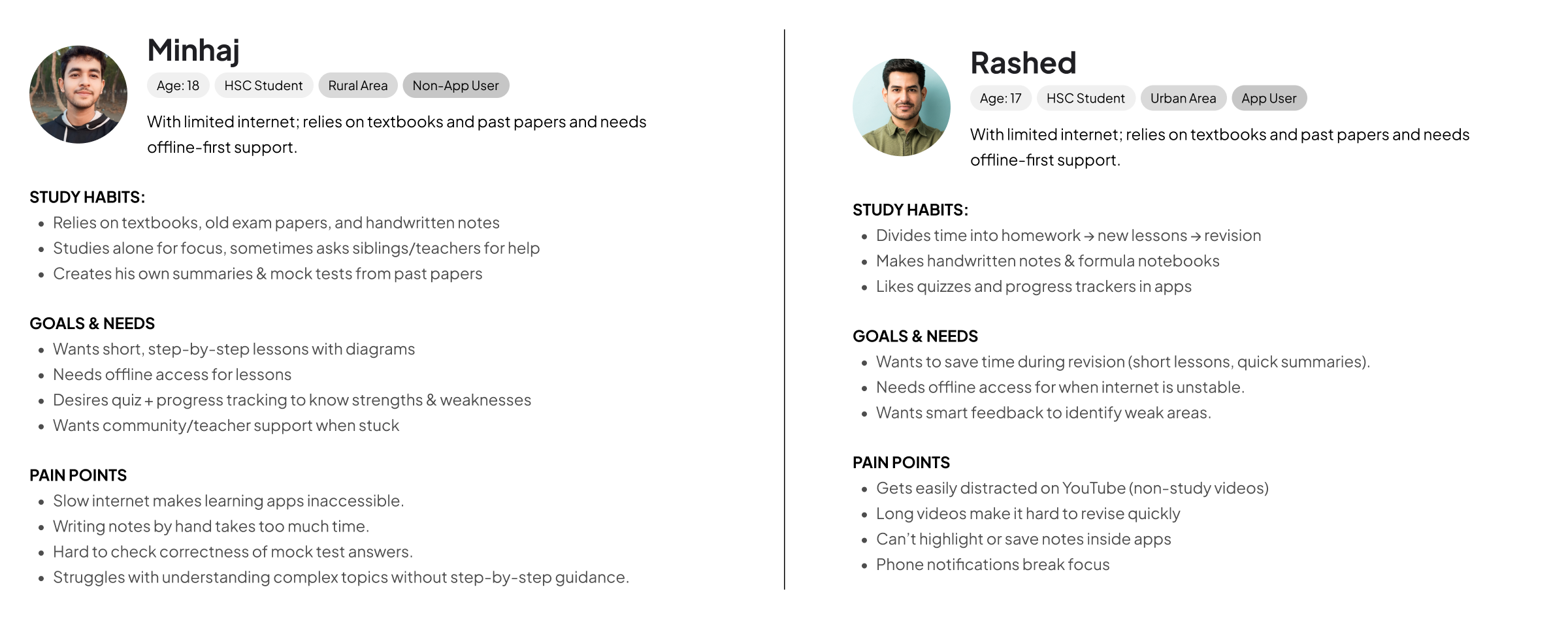
5 student interviews.
- Mix users including rural + urban and app users + non-users.
- Goal was to understand study habits and pain points.
- Synthesised with affinity map and empathy map.
Problem Identification & Prioritization
All the interview insights are clustered into 4 areas: Financial, Product, Process and Support.
Prioritised using the 3 criteria below which resulted in the selection of five core problems.
- Frequency across participants.
- Impact on daily study routine, exam readiness and confidence.
Key Problems
Research with students revealed five key problems.
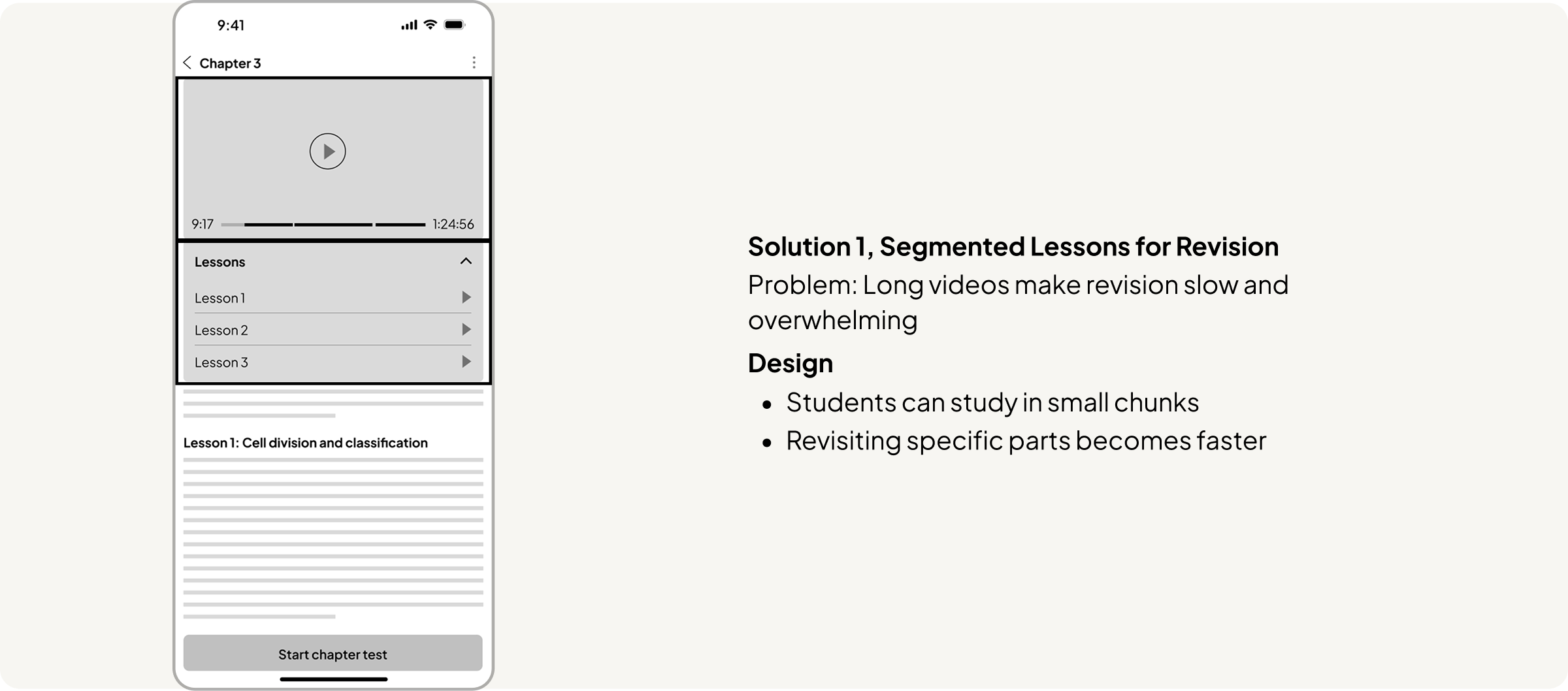
1. Long, non-interactive video lessons.
Long lessons make it hard to revisit specific concepts and reduce motivation to finish.
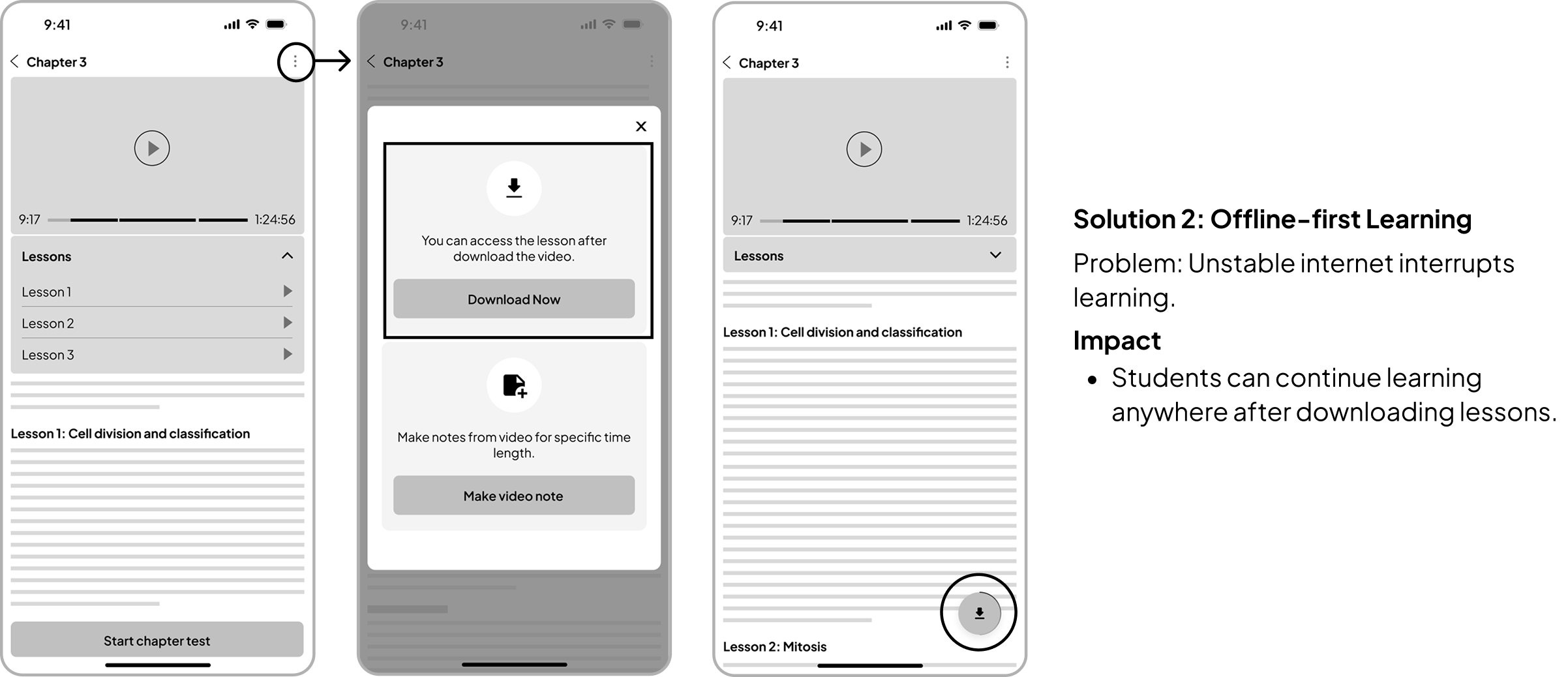
2. No offline access
Unstable internet prevents consistent learning and forces students to stop mid-lesson.
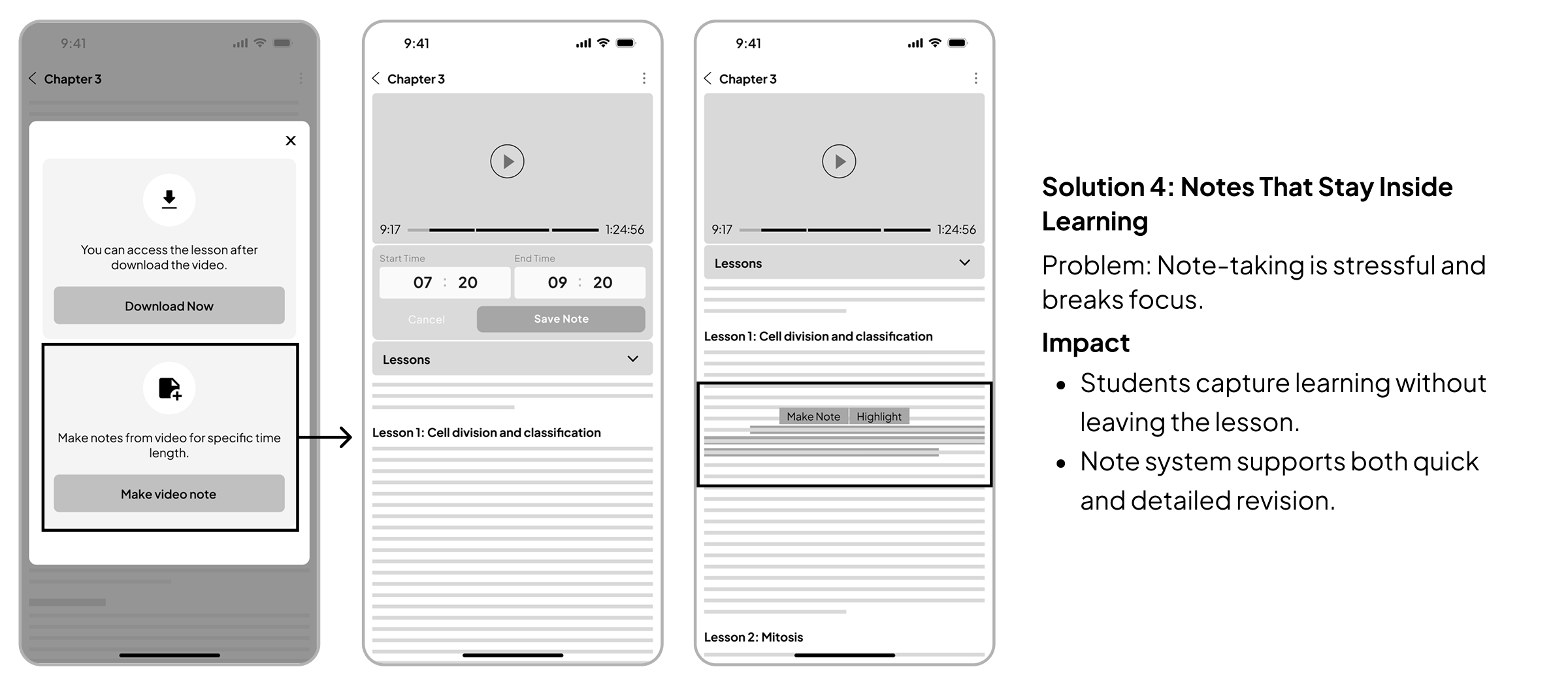
3. Note taking stressful
Students rely on handwritten notes, which is time-consuming, and cannot capture notes inside the app.
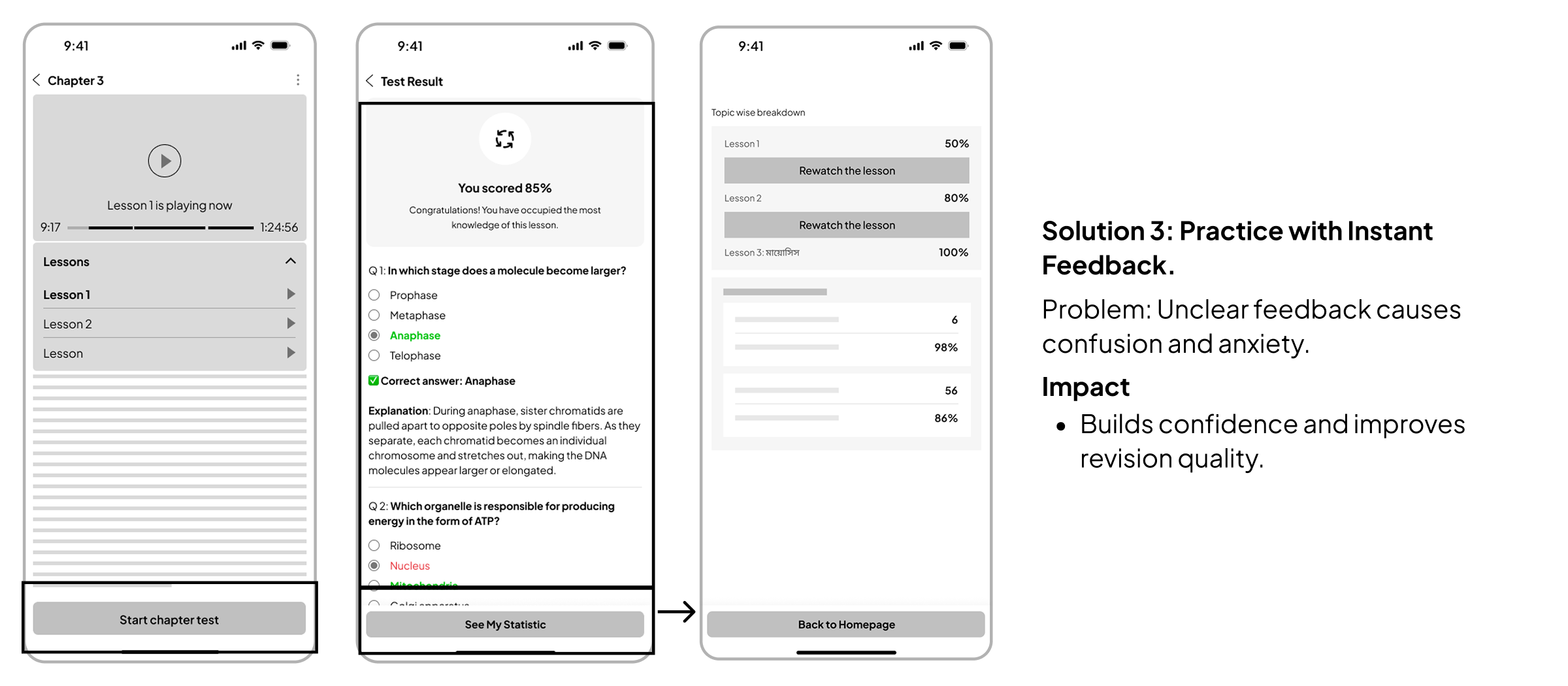
4. Unclear feedback
Without instant results and explanations, students feel anxious and do not know what to improve.
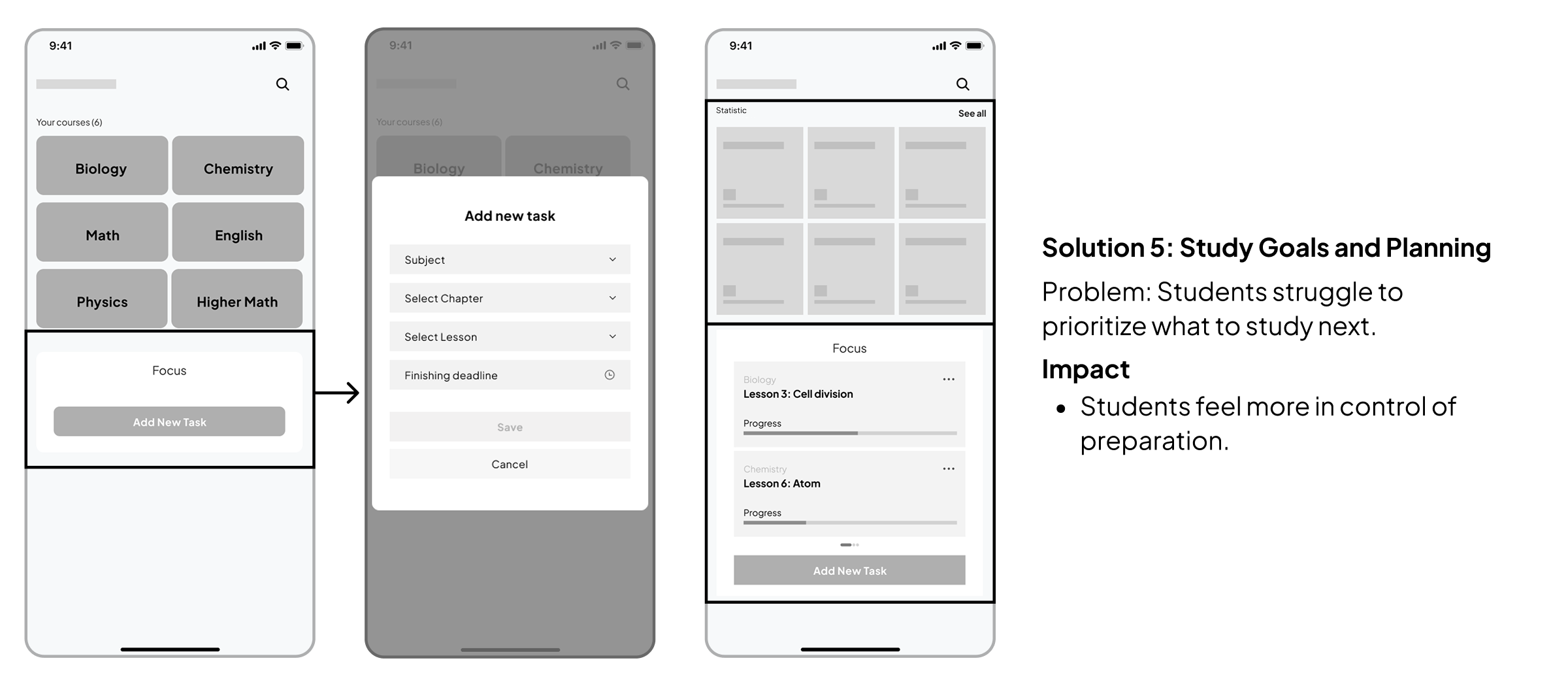
5. Scattered and unclear priorities
Students cannot easily see what to revise next or keep study materials organized in one place.
Design Principles
After prioritizing the five key problems, I explored multiple solution directions using “How might we” questions and distilled the outcomes into the following design principles.
1. Reduce cognitive load for long lessons.
Make learning feel simple. Less reading, fewer options at once, clear hierarchy, no clutter.
2. Support low internet reality
Design as if internet can fail anytime. Offline download, and clear offline status.
3. Keep students in flow for notes
Avoid forcing users to jump between apps or pages. Notes, progress, and practice should stay close to the lesson.
4. Make progress visible and next steps clear
Users should always know: What did I finish? Strength and weakness? What should I revise?
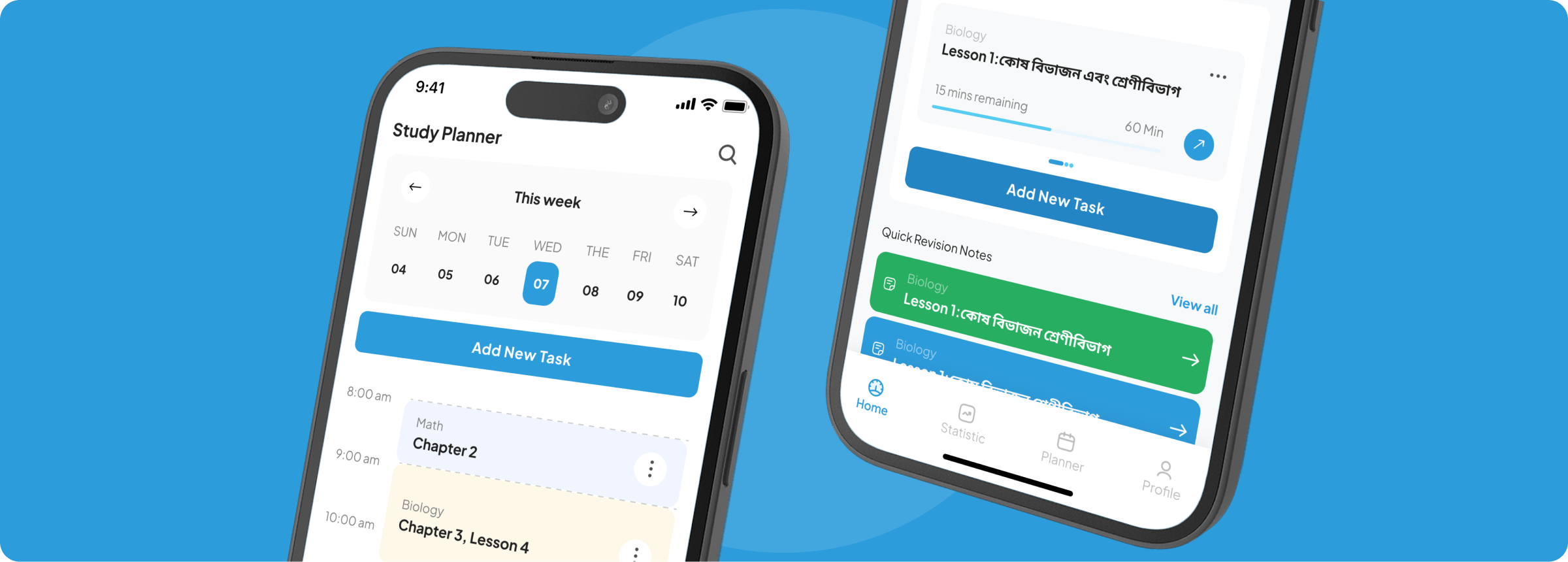
5. Smart study dashboard
Set new study goal for quick learning and overview of activities
Design opportunity and solution overview
Students don’t study in a straight line, they repeat a loop while preparing for exams:
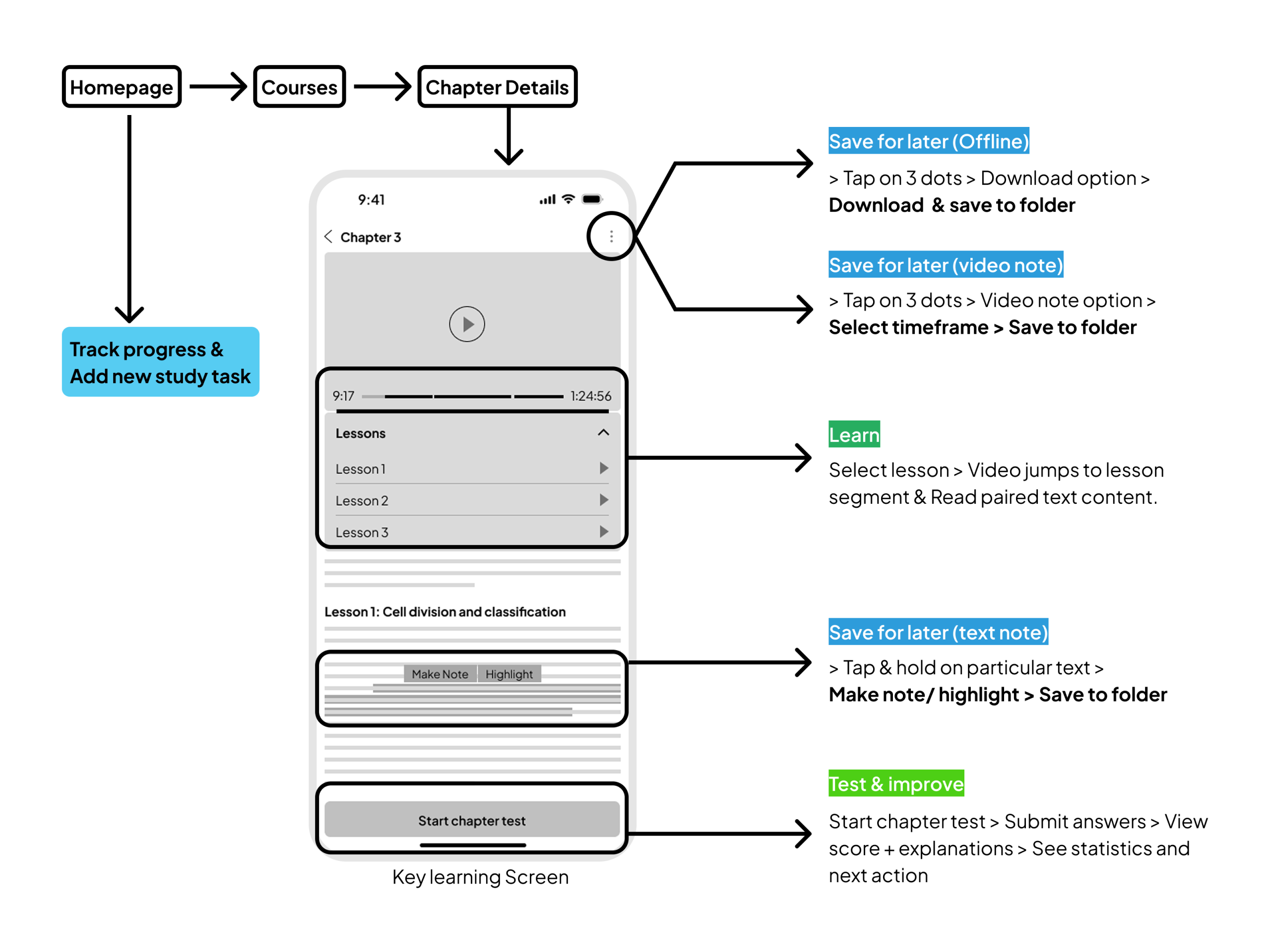
Learn → Capture → Practice → Review → Plan next
How the solution supports the loop:
- Learn: segmented lessons + quick resume.
- Capture: highlight + video notes inside the lesson
- Practice: short quizzes after lessons
- Review: instant feedback + mistakes summary
- Plan next: study goals + saved notes + Statistics
Core tasks user flow
Find lesson → Learn in segments → Capture note → Practice → Review mistakes → Set next goal.
Solution Overview (Wireframe)
Usability testing round 1
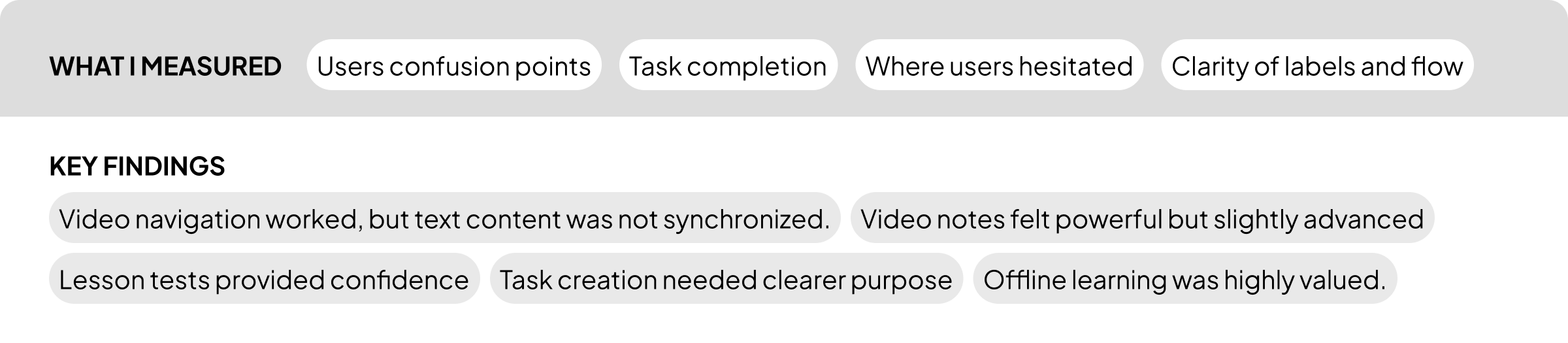
Usability testing session run with 5 students from rural and urban areas in moderate way. The goal was to Identify breakdowns in key learning tasks and validate early flows. Key tasks were to validate the key problem’s solutions either user can complete or not in first time use.
View usability test notes (round 1)
Iterations After Round 1
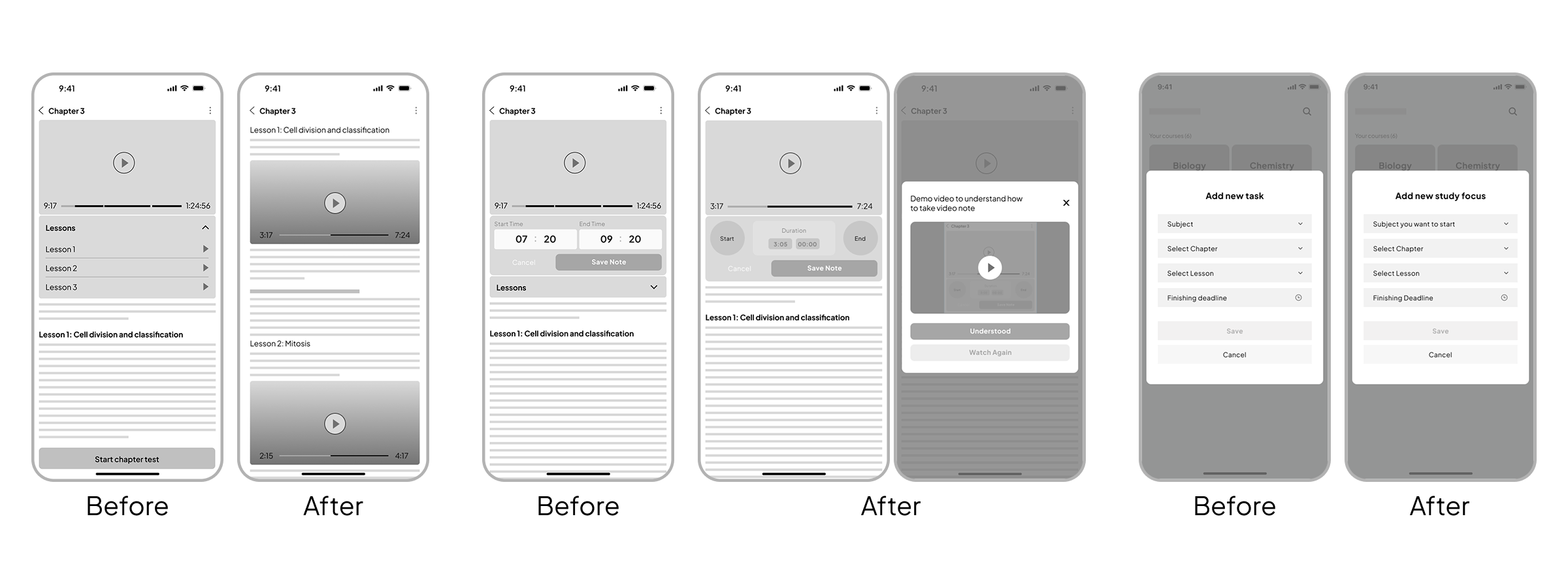
What I changed after first round of usability testing below:
- Added navigation synchronization for segments.
- Simplified note creation with clearer guidance.
- Improved “Add study goal” framing for exam planning.
- Improved saved notes entry point and organization.
Usability testing round 2
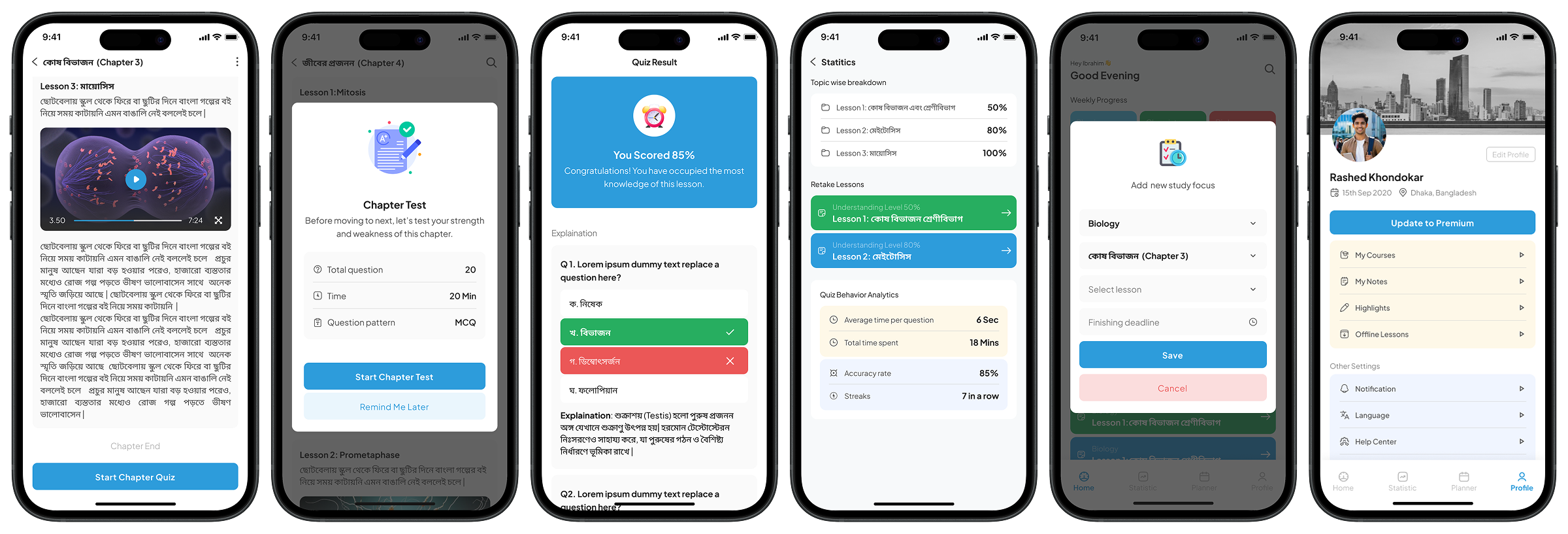
Final Design
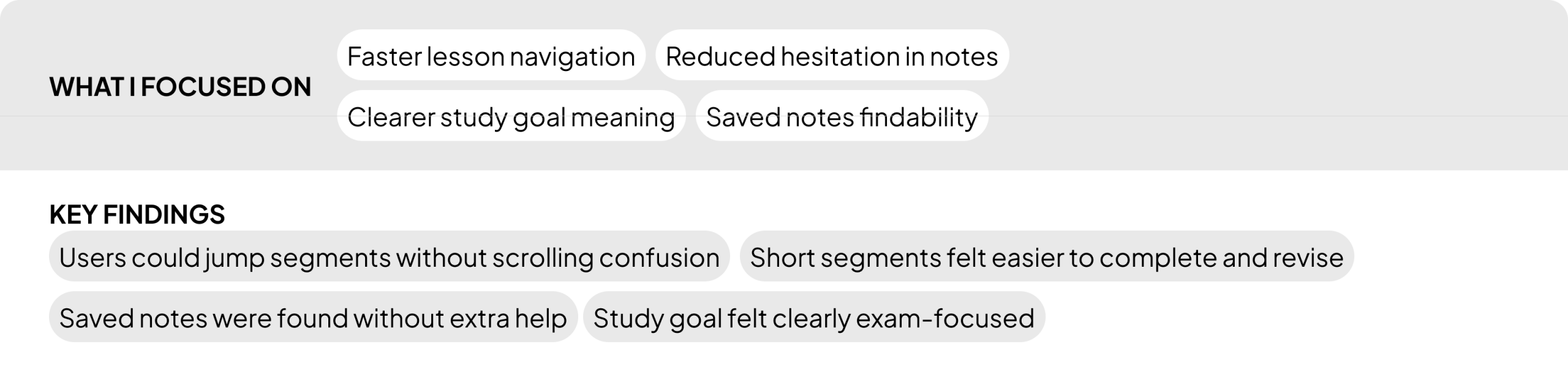
Validate improvements and confirm smoother first-time usability.
Outcome summary
- Revision-first (segments + quick resume)
- Offline-friendly (download and trust)
- Flow-preserving (notes inside learning)
- Confidence-building (instant feedback)
- Organized (study goals + saved notes)
Key learnings
- Students value structured learning more than additional features.
- Offline accessibility is critical for educational equality.
- Designing for revision efficiency significantly impacts exam confidence.
- Small usability improvements can dramatically reduce cognitive effort.
What I would do next?
If this product is shipped, I would validate these features below:
- Add reminders for study goals (Option).
- Add estimated time per segment and per goal.
- Add a lightweight progress dashboard for revision.
- Run a longer usability test with more participants across rural and urban groups.